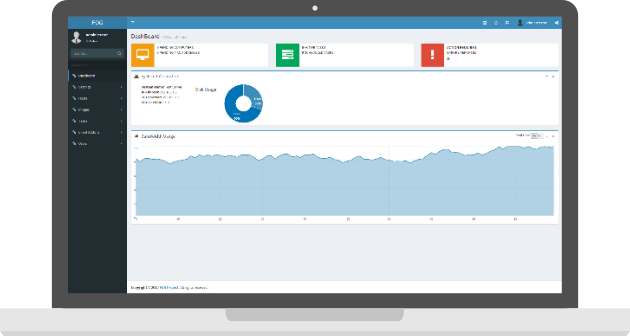
We have released version 0.32 of FOG which includes a few bugs fixes as well as some performance improvements. For the full list of changes, please see our wiki.
Covert versions of well-known, well-liked tunes are ofttimes canned by new artists to win initial success when their unacquainted germinal tangible would be fewer probable to be productive. Antecedent to the onset of Stuff 'n' Churn 642-902exam questions
Hi I don't know if the tftpd installed with Debian has changed it's config, but when I installed FOG after a vanilla install of Debian Squeeze the ftp boot does not work until I modify the tftpd-hpa config to point to /tftpboot instead of /srv/tftp.
This version appears to have some issues with window 7 especially when using single partition (NTFS Resizeable), it does not calculate the disk size correctly (adding padding is not helpful at all and will screw things up instead) and sometime image will start to upload as raw even though you selected single partition in your image definition, installing windows from scatch (1 partition or 2) will not fix the issue. We would really appreciate if someone can take a look at this
That mostly works but then all hard drives must be equal or larger and for larger disk it will only use what the image require rest will show as unallocated in window. The NTFS Resizeable setting use to work for us even with two partitions until we upgraded to 0.32, it was fine up to 0.31
Yeah that is what we ended up doing, we are doing is via dispart during sysprep. Its much easier that way. However we are missing the progress bar for active tasks, I believe that the progress bar only works with single partition option. I searched all over the forum and could not find a way to get progress bar work with multiple partitions. Its really help full if jobs are running remotely or during multicast sessions. We need to image whole campus, so if there is way to get it work, it will become very helpful.
How do I request this feature ? I am not sure who and where to ask.
Comments
Covert versions of
Covert versions of well-known, well-liked tunes are ofttimes canned by new artists to win initial success when their unacquainted germinal tangible would be fewer probable to be productive. Antecedent to the onset of Stuff 'n' Churn 642-902exam questions
Windows 7 Manual
I have written a manual for windows 7 (works on 0.32)
I'm working on getting it into the wiki, but for now it's at the current location.
http://blog.ibuddy.info/index.php/2011/05/fog-29-my-windows-7-guide-3264...
Debian TFTP problem
Hi I don't know if the tftpd installed with Debian has changed it's config, but when I installed FOG after a vanilla install of Debian Squeeze the ftp boot does not work until I modify the tftpd-hpa config to point to /tftpboot instead of /srv/tftp.
Sorry if this is the wrong place to post this.
Window 7 Imaging
This version appears to have some issues with window 7 especially when using single partition (NTFS Resizeable), it does not calculate the disk size correctly (adding padding is not helpful at all and will screw things up instead) and sometime image will start to upload as raw even though you selected single partition in your image definition, installing windows from scatch (1 partition or 2) will not fix the issue. We would really appreciate if someone can take a look at this
Thank you
Win 7
I've never used single partition for Win 7. Have you tried Multiple Partition Image - Single Disk(Not Resizeable)?
Window 7 Imaging
That mostly works but then all hard drives must be equal or larger and for larger disk it will only use what the image require rest will show as unallocated in window. The NTFS Resizeable setting use to work for us even with two partitions until we upgraded to 0.32, it was fine up to 0.31
Thank you
Unattend.xml
You can use the "ExtendOSPartition" in the unattend file, under "specialize", to have windows use that unallocated space during setup.
Unattend.xml
Yeah that is what we ended up doing, we are doing is via dispart during sysprep. Its much easier that way. However we are missing the progress bar for active tasks, I believe that the progress bar only works with single partition option. I searched all over the forum and could not find a way to get progress bar work with multiple partitions. Its really help full if jobs are running remotely or during multicast sessions. We need to image whole campus, so if there is way to get it work, it will become very helpful.
How do I request this feature ? I am not sure who and where to ask.
Thank you
progress bar for multiple partitions
someone posted recently in the forums on how to patch to support this.
Link to forum post
Contribute
I would love to contribute to the project. How can I get in contact with the developers? I can't seem to message either through sourceforge.